AIMRAN SEO Lens
Instant SEO audit: Core Web Vitals, content, Google preview, indexability, schema, mobile and broken links.
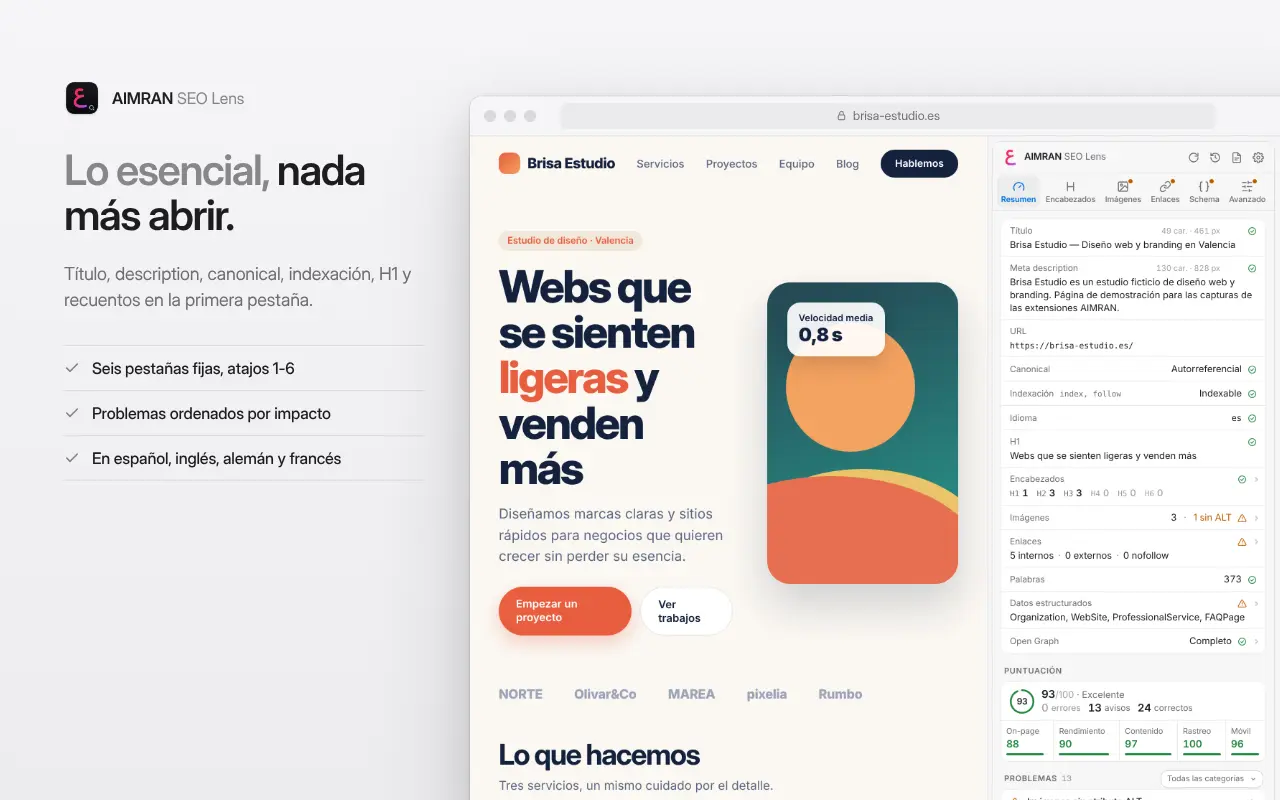
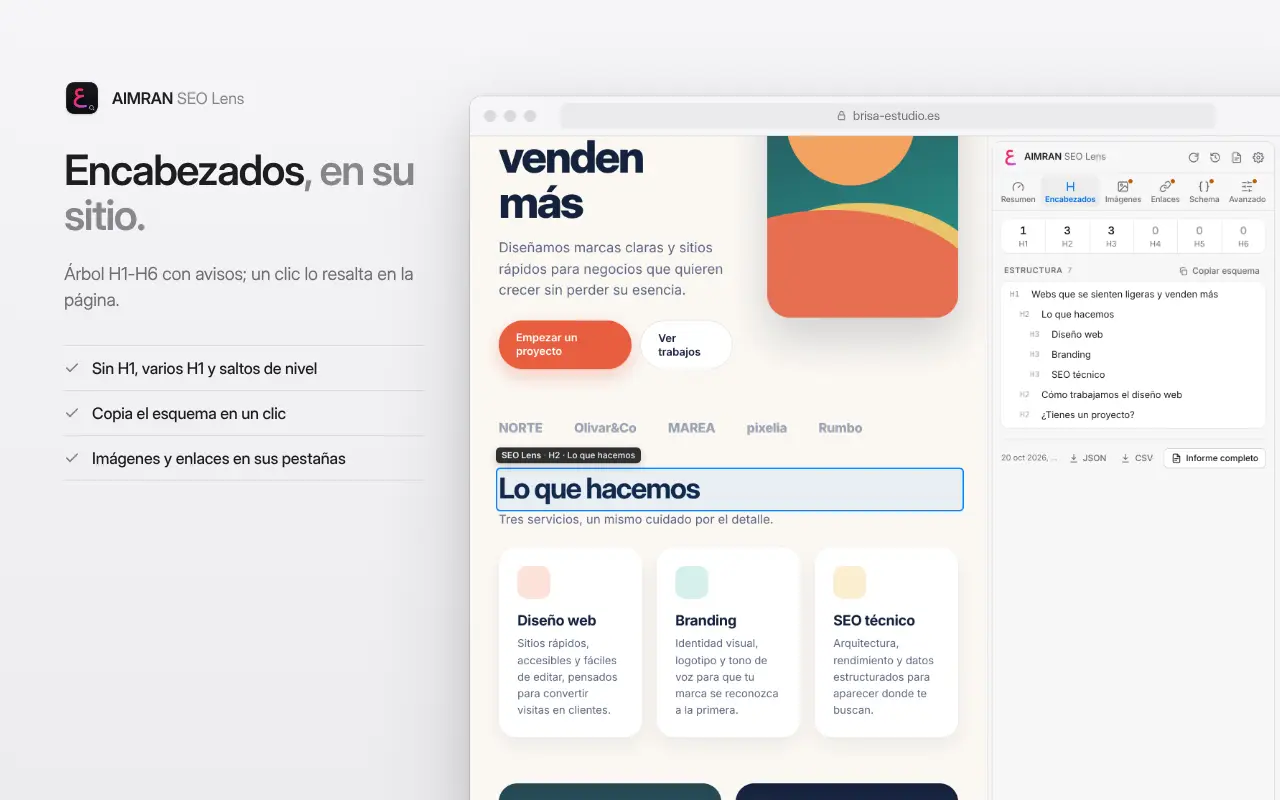
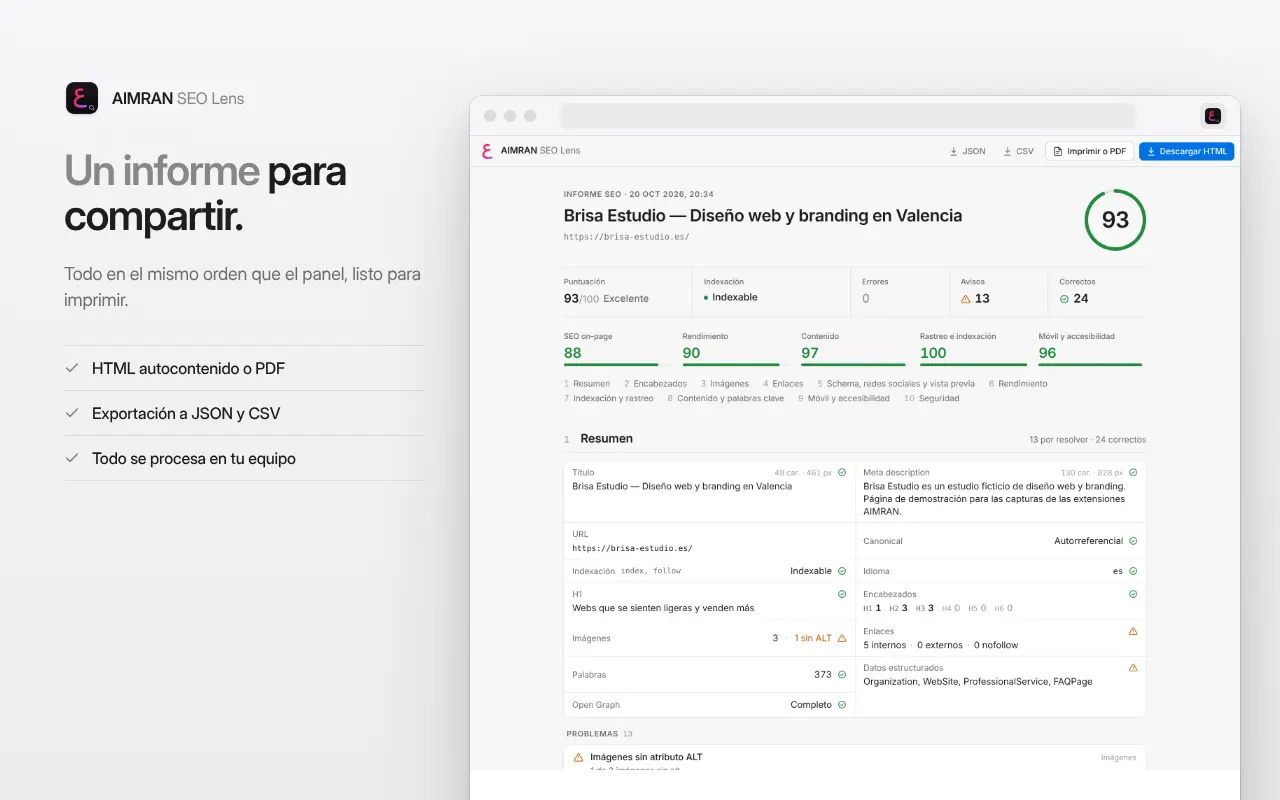
AIMRAN SEO Lens is a complete SEO audit that runs inside Chrome. Open any website, click the extension icon (or press Alt+Shift+S) and within seconds Chrome's side panel shows an overall score plus one per category (on-page SEO, performance, content, crawling and indexing, and mobile and accessibility), with issues sorted by impact and a concrete recommendation for each.
WHAT IT ANALYSES
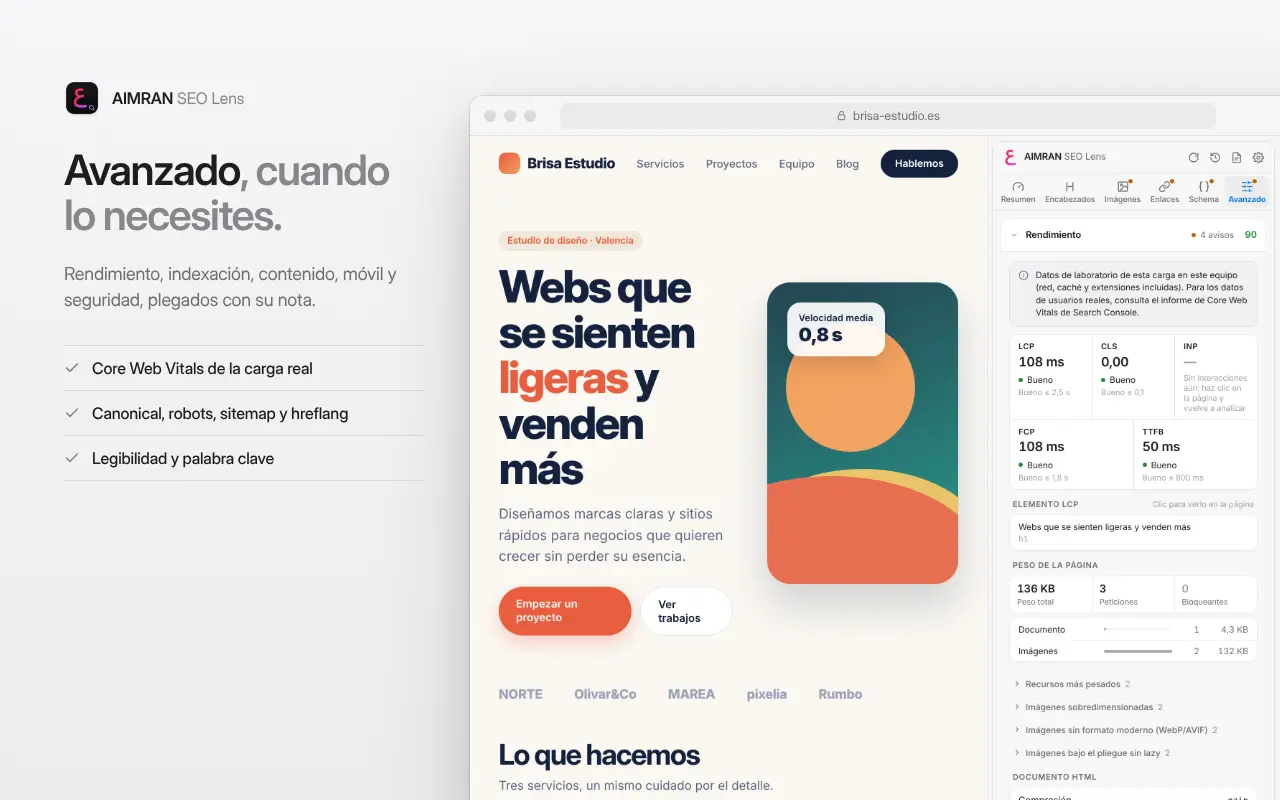
- Performance: Core Web Vitals from the tab's real page load (LCP with its element, CLS with the shifting elements, INP, FCP and TTFB) against the official thresholds, page weight and requests by type, render-blocking resources, third parties, oversized images or images not in WebP/AVIF, lazy loading, fonts without font-display, and HTML compression and caching.
- Content: word count, reading time, readability for the page's language, most frequent terms and main keyword consistency across title, description, H1, URL and the opening text.
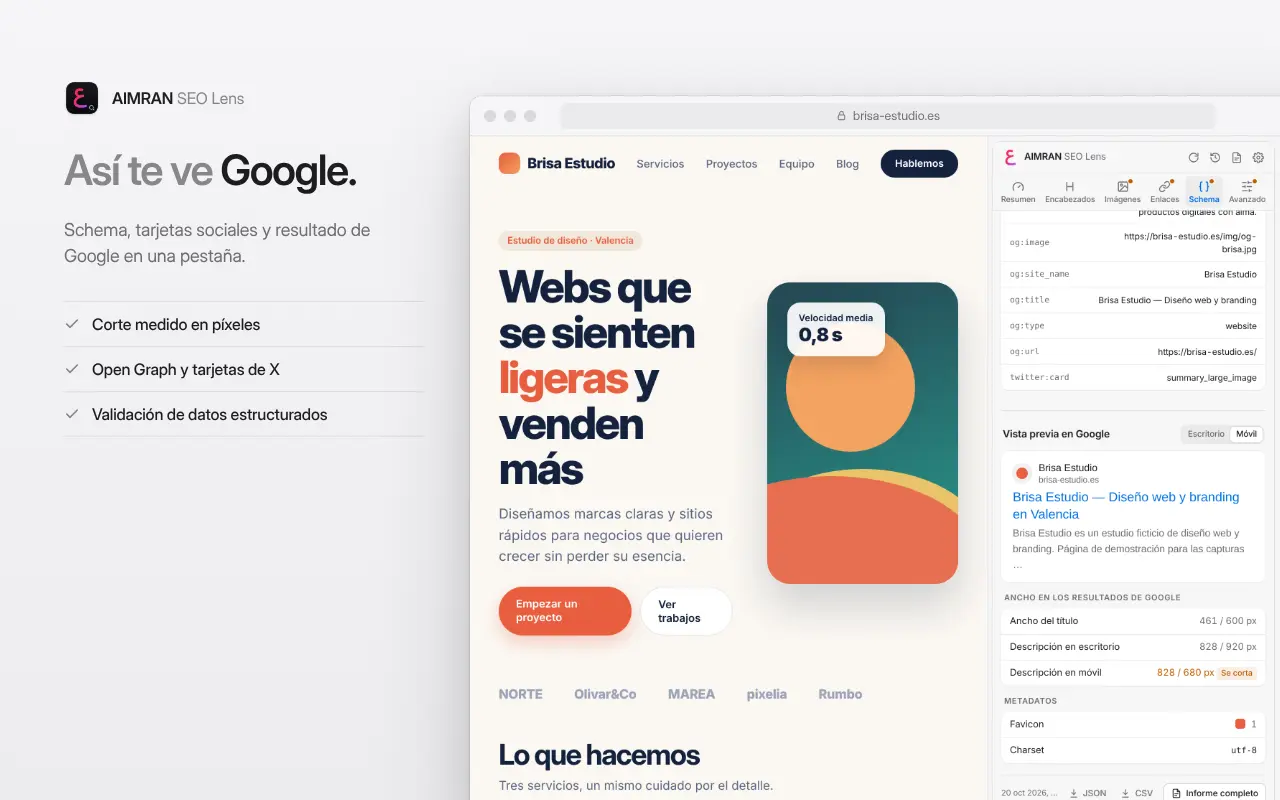
- Preview: how the result will look in Google (desktop and mobile, truncation measured in pixels) and when shared on social networks.
- Metadata and headings: title, meta description, Open Graph, Twitter Cards and the H1–H6 tree. Click an element to highlight it on the page.
- Crawling and indexing: canonical, robots meta tag, X-Robots-Tag, robots.txt as Googlebot, sitemap (including indexes), hreflang, pagination, redirects and conflicting signals, with a clear verdict.
- Mobile and accessibility: viewport, small text, tap targets, lang, unnamed buttons and fields, and contrast.
- Links: internal and external, generic anchors, depth, parameters and a broken link check you can cancel.
- Structured data: JSON-LD, Microdata and RDFa, validating required and recommended properties for the most common rich results.
- Security: HTTPS, mixed content and security headers.
HOW TO USE IT
- Open the page you want to review.
- Click the AIMRAN SEO Lens icon or press Alt+Shift+S: the side panel opens and the analysis starts automatically. The panel stays open and follows the active tab; with “Analyse automatically as you browse” it analyses every page without clicks.
- The Overview tab instantly shows title, description, canonical, indexability, H1 and counts; the other tabs (Headings, Images, Links, Schema and Advanced) are always at the top, one click or keys 1–6 away.
- In Links, click “Check”. The first time, Chrome will ask for permission to access the linked sites.
- Click “Full report” to print it, save it as PDF or download it as HTML. You can also export to JSON or CSV.
WHY INSTALL IT
- All the technical and content SEO of a page in one panel, without pasting URLs into external services.
- Actionable recommendations for SEO professionals, developers and writers.
- Available in English, Spanish, German and French.
- History of the last 30 analyses with each category's score. Automatic light and dark theme.
PRIVACY
- No accounts, no analytics, no ads and no AIMRAN or third-party servers. No external APIs.
- The analysis runs in your browser, only while the panel is open and on pages you give it access to. Performance metrics are lab data from that page load on your device.
- Network requests only go to the page being analysed (its URL, robots.txt and sitemap) and, if you click “Check” and grant permission, to the URLs linked from that page.
- History, settings and the last 5 reports are stored only on your device.