AIMRAN Inspector
Inspect sizes, colours, contrast, type and CSS variables of any element, measure distances and edit its CSS live.
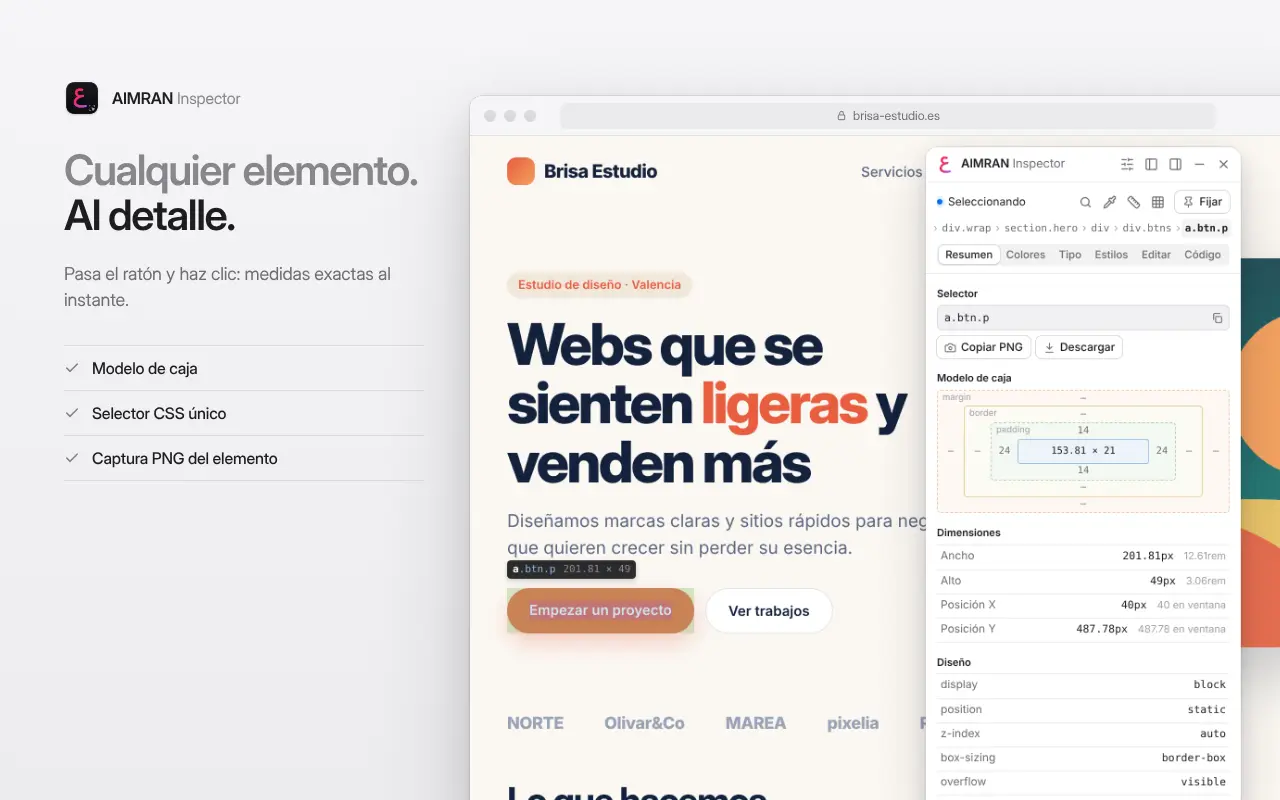
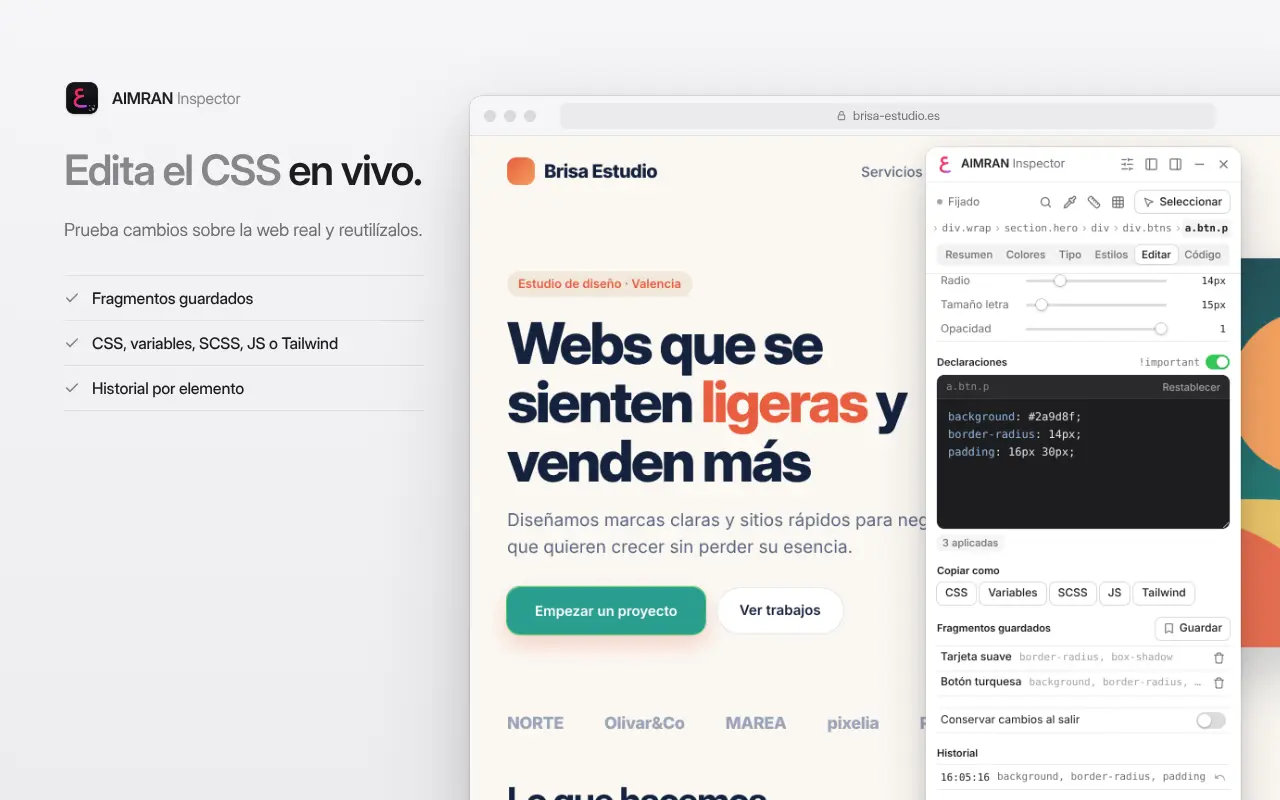
AIMRAN Inspector turns any web page into your front-end lab. Click the extension icon (or press Alt+Shift+I), hover over the page and click an element to see how it’s built and try CSS changes on the live site.
What it shows
- Visual box model (margin, border, padding and content) with exact sizes and a tag#id.class label.
- A unique CSS selector ready to copy, plus breadcrumbs to move through the ancestors.
- Text, background, border and SVG colours in HEX, RGB or HSL, with the effective background worked out even through semi-transparent layers.
- WCAG contrast with AA and AAA results for normal and large text.
- Full typography: declared family, the font actually rendered, size in px and rem, weight and line height.
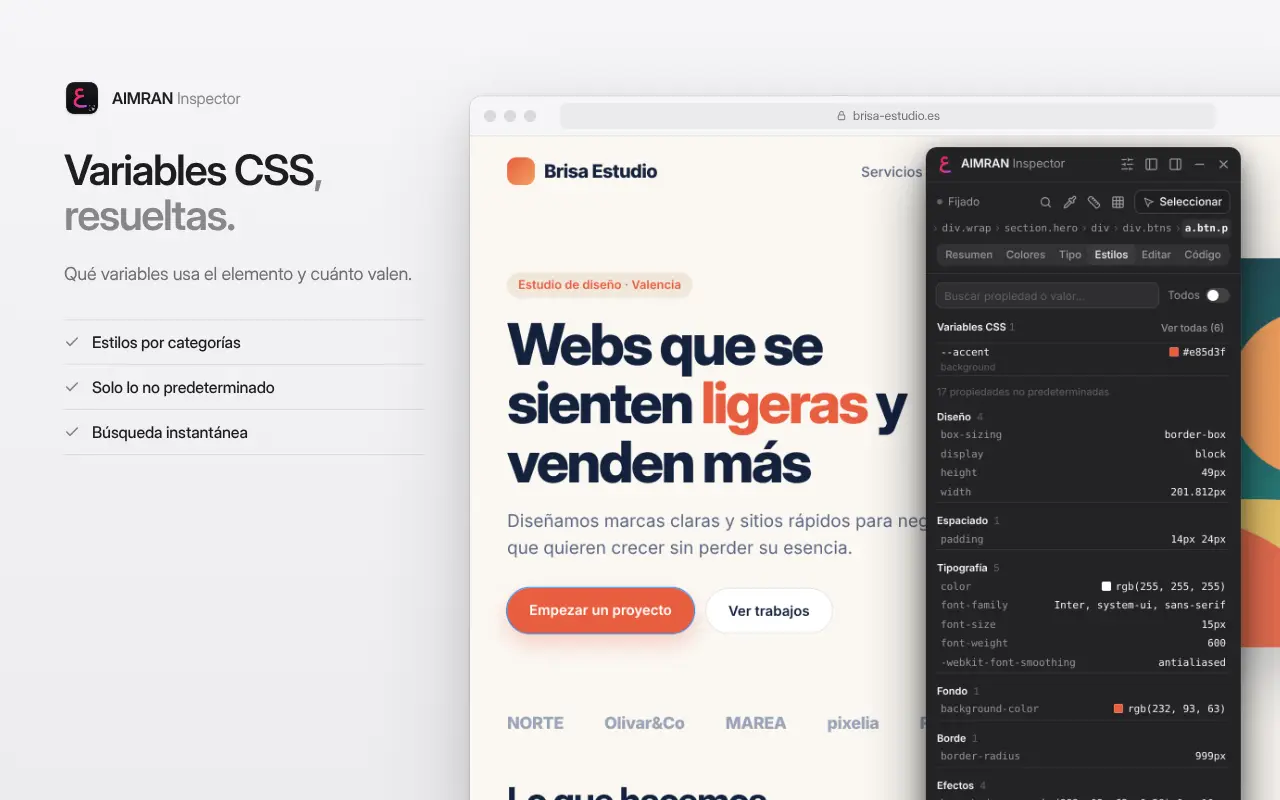
- Noise-free computed styles grouped by category, plus the CSS variables the element uses and their resolved values.
- The element’s HTML, formatted and ready to copy.
Tools
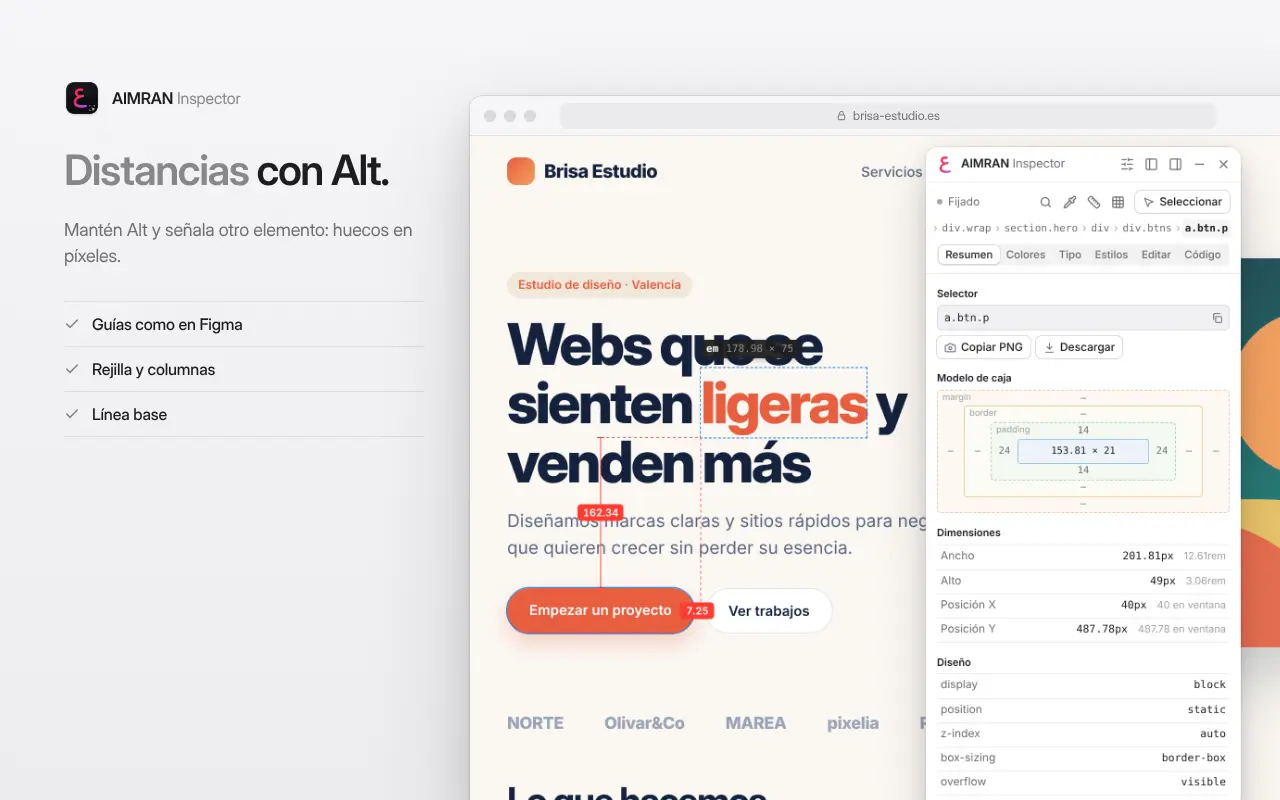
- Distance measuring: hold Alt and point at another element to see the gaps in pixels, with guides like in design apps.
- 8px grid, configurable columns and a baseline to check alignment.
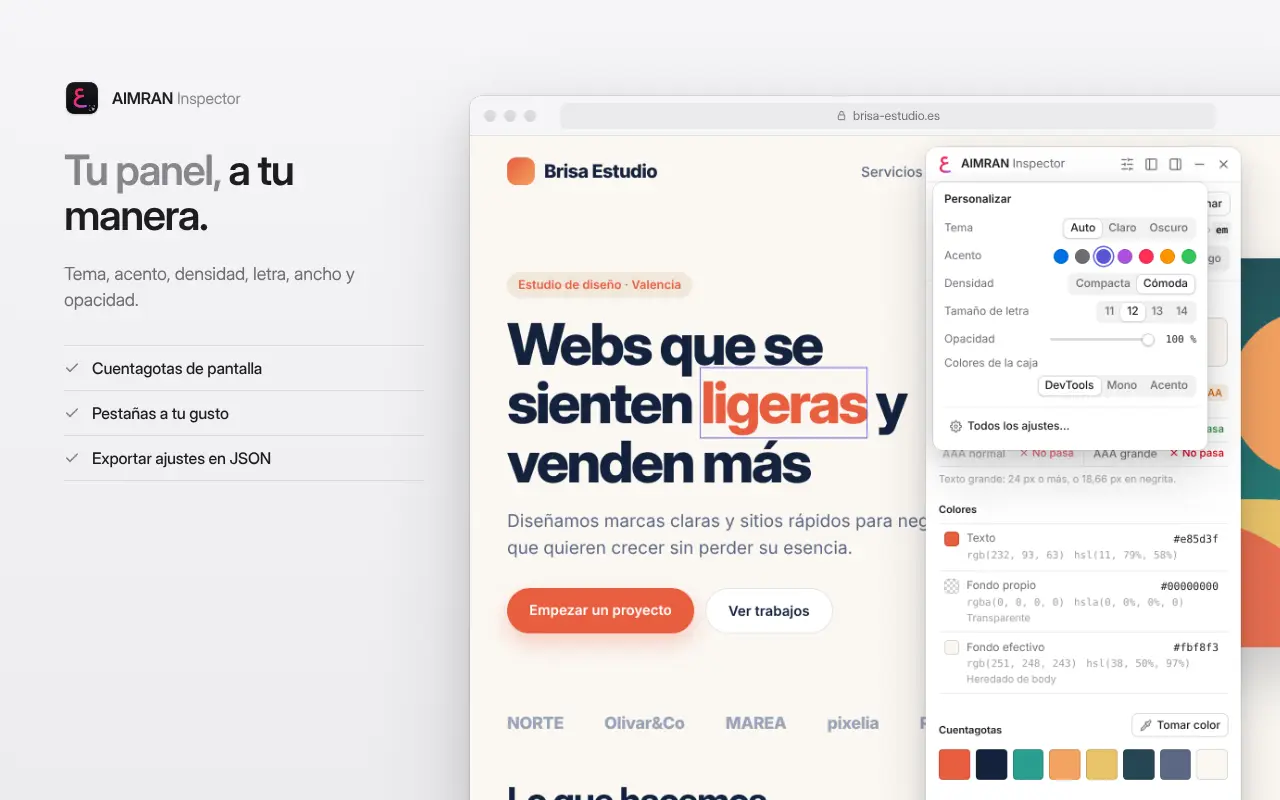
- Screen eyedropper with a history of recent colours.
- Go to a CSS selector or find elements by their text.
- Copy or download a PNG screenshot of the element.
Live CSS editor
- Line-by-line validation, autocomplete, quick controls and per-element history.
- Saved snippets to reuse styles on other elements.
- Export as CSS, CSS variables, SCSS, a JS/React style object or approximate Tailwind classes.
Your way
- Light, dark or automatic theme, seven accent colours, compact or comfortable density, text size, resizable width and panel opacity.
- Remembered side and position, start tab, visible tabs and their order, and box overlay colours.
- Export and import your settings as JSON.
- Interface in English, Spanish, German and French.
How to use it
- Open any website and click the AIMRAN Inspector icon or press Alt+Shift+I.
- Hover over the page and click the element you want to study. While you select, the page receives no clicks, so no link or button fires by mistake.
- Browse the Overview, Colours, Type, Styles, Edit and Code tabs. Arrow keys move through the tree, Space pins the selection, Alt measures, G shows the guides.
- Press Esc, the icon or the × to exit. The page returns to its original state.
Why install it
- One panel that’s quicker than DevTools for everyday design and layout checks.
- An isolated panel that the site’s CSS can’t break and that doesn’t slow the page down: tested on 20,000-node pages.
Privacy The extension only works in the active tab and only when you turn it on. It reads the element you choose, processes it in your browser and sends nothing to any server. It stores your preferences, CSS snippets and eyedropper colours in Chrome’s storage. No accounts, no analytics, no ads and no tracking.