AIMRAN Capture
Full-page, area or visible screenshots, mobile, tablet and laptop previews, an annotation editor and the design assets of any site.
AIMRAN Capture turns any website into a crisp image, lets you annotate it like a desktop app and helps you take its design with you: colours, fonts and images, ready to copy or download. Built for designers, developers and anyone who documents, reviews or studies web pages.
SCREENSHOTS
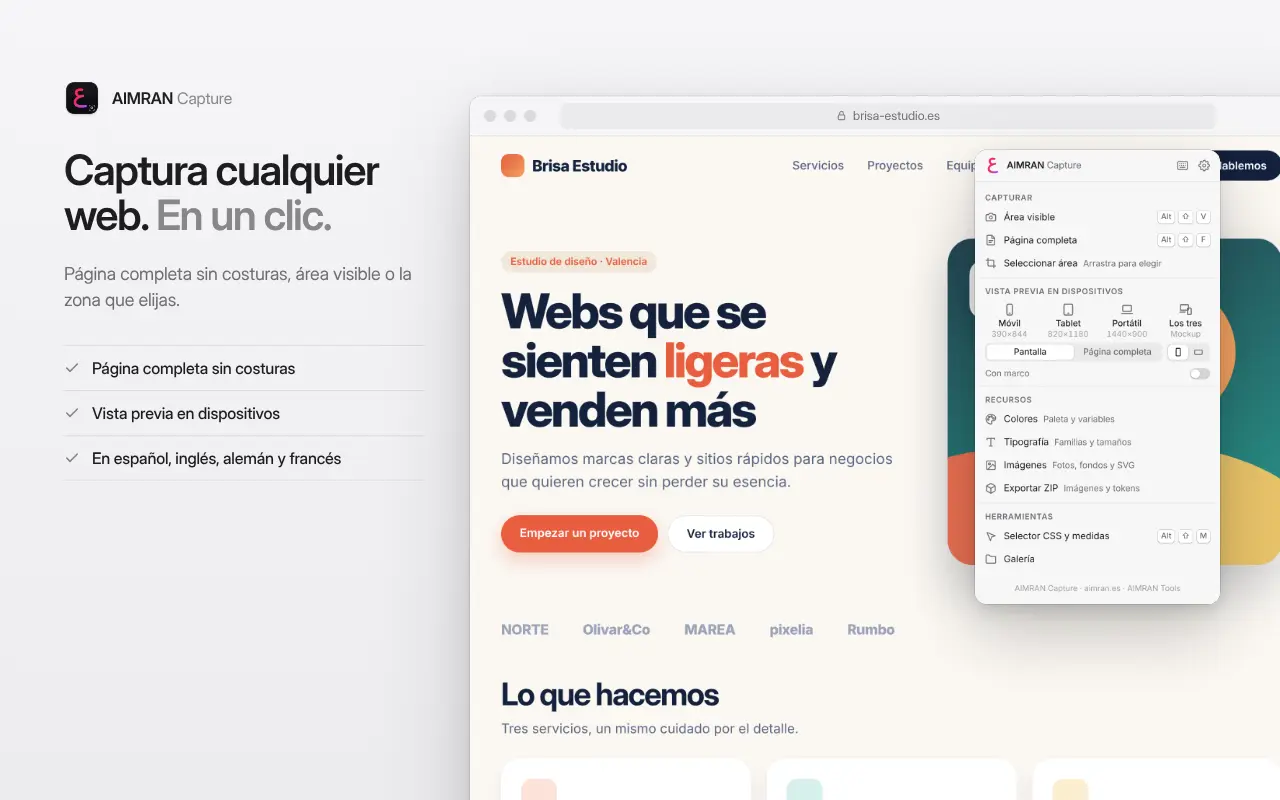
- Full page: scrolls through the page screen by screen and stitches the strips seamlessly, including on HiDPI displays and with zoom. Fixed headers appear only once and the page returns to where it was.
- Also works in apps with an inner scroll area: it captures the main container.
- Visible area, or any area you drag, at your screen's real resolution.
- Local gallery with search by title or address.
ANNOTATION EDITOR
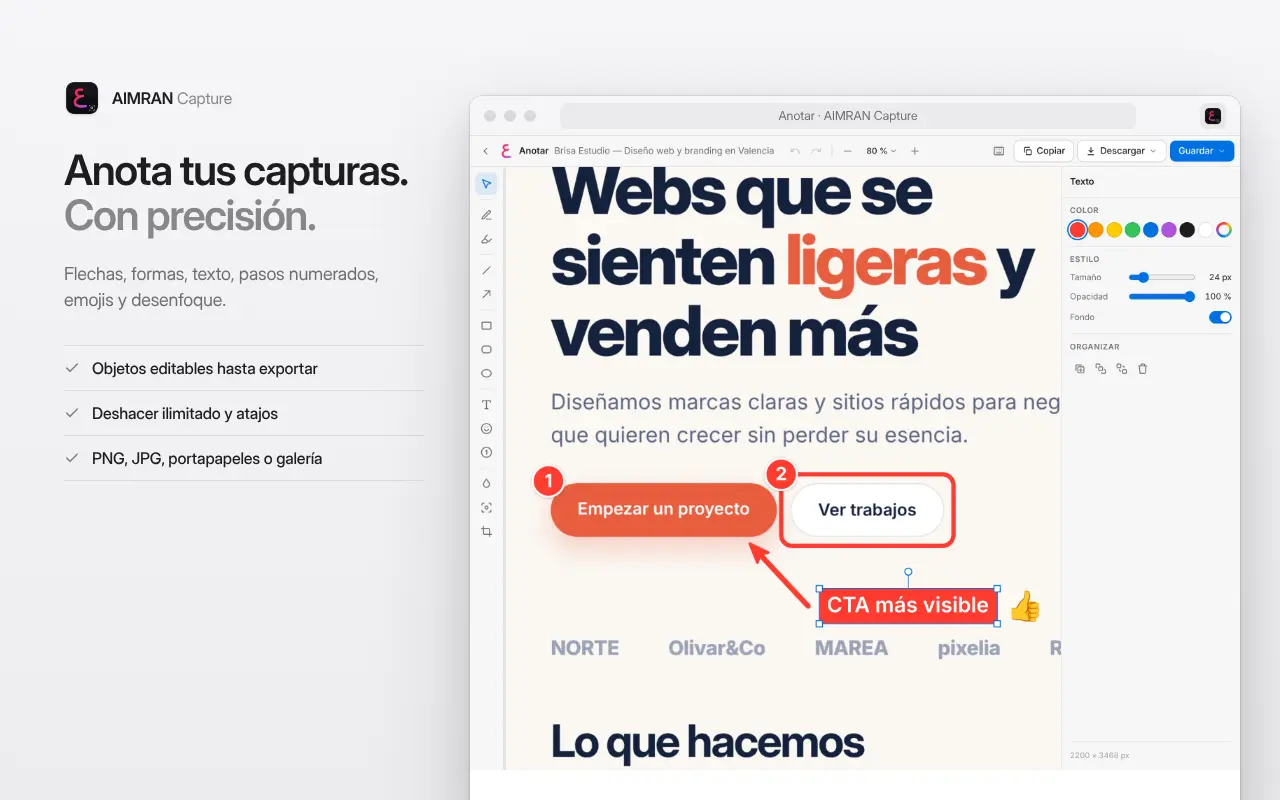
- Arrows, lines, rectangles, rounded rectangles and ellipses (Shift for perfect proportions, Alt to draw from the centre).
- Pen and translucent highlighter, text with an optional background, numbered steps 1, 2, 3 and emoji with search by name and recents.
- Blur or pixelate sensitive data, spotlight an area by dimming the rest, and crop the image.
- Every annotation stays editable: move, resize, rotate or duplicate it, and change its colour, width and opacity. Unlimited undo and redo, zoom and a keyboard shortcut for every tool.
- Export to PNG or JPG, copy to the clipboard or save a new version to the gallery without losing the original. Reopen your annotations and keep editing later.
DEVICE PREVIEWS
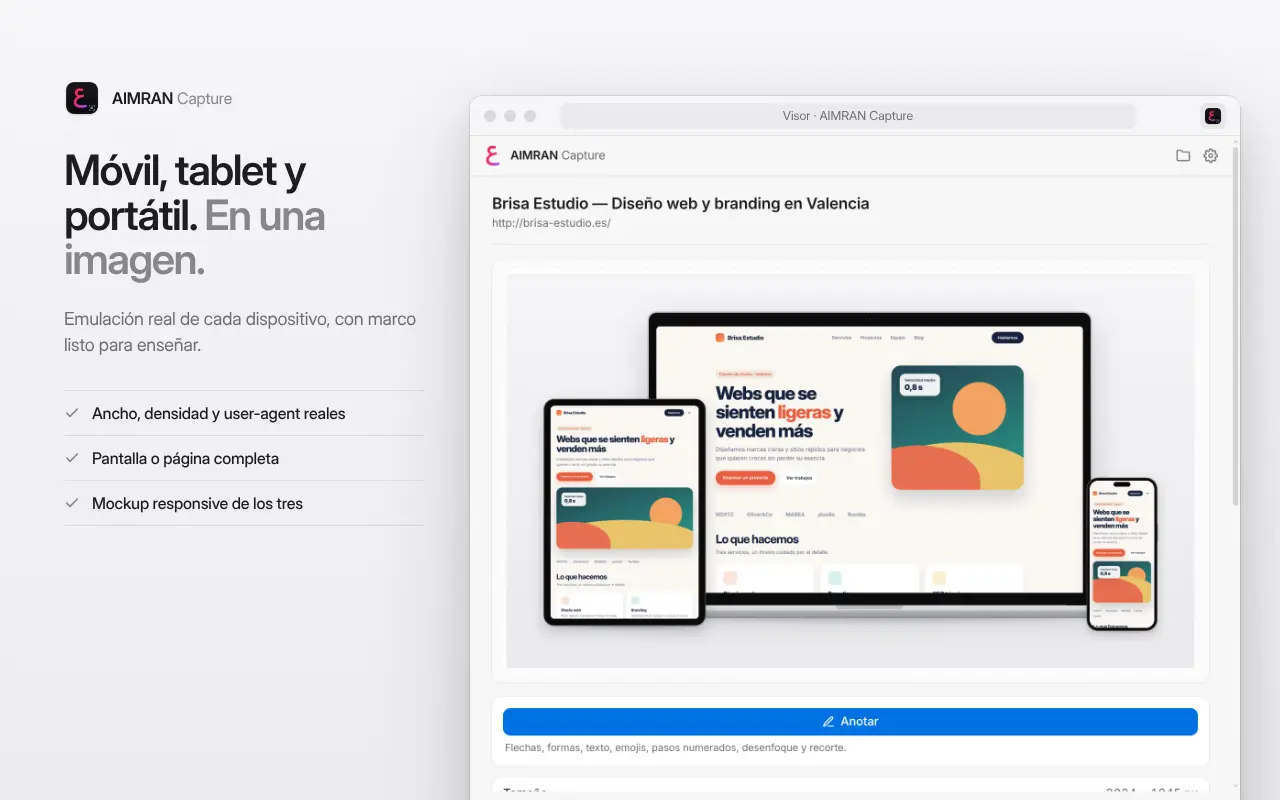
- Mobile, tablet and laptop: truly emulates each device in the tab (width, pixel density, user agent and touch input) and captures the screen or the full page, in portrait or landscape.
- Clean captures by default; with one switch, also inside an understated device frame, on a transparent, light or dark background. Add or remove the frame later without recapturing.
- "All three": a responsive mockup with the laptop at the back and the tablet and phone in front, ready to show a client, or the three captures side by side without frames.
- Sizes, density and user agent can be edited in the settings. Afterwards, the page returns to its original state.
DESIGN ASSETS
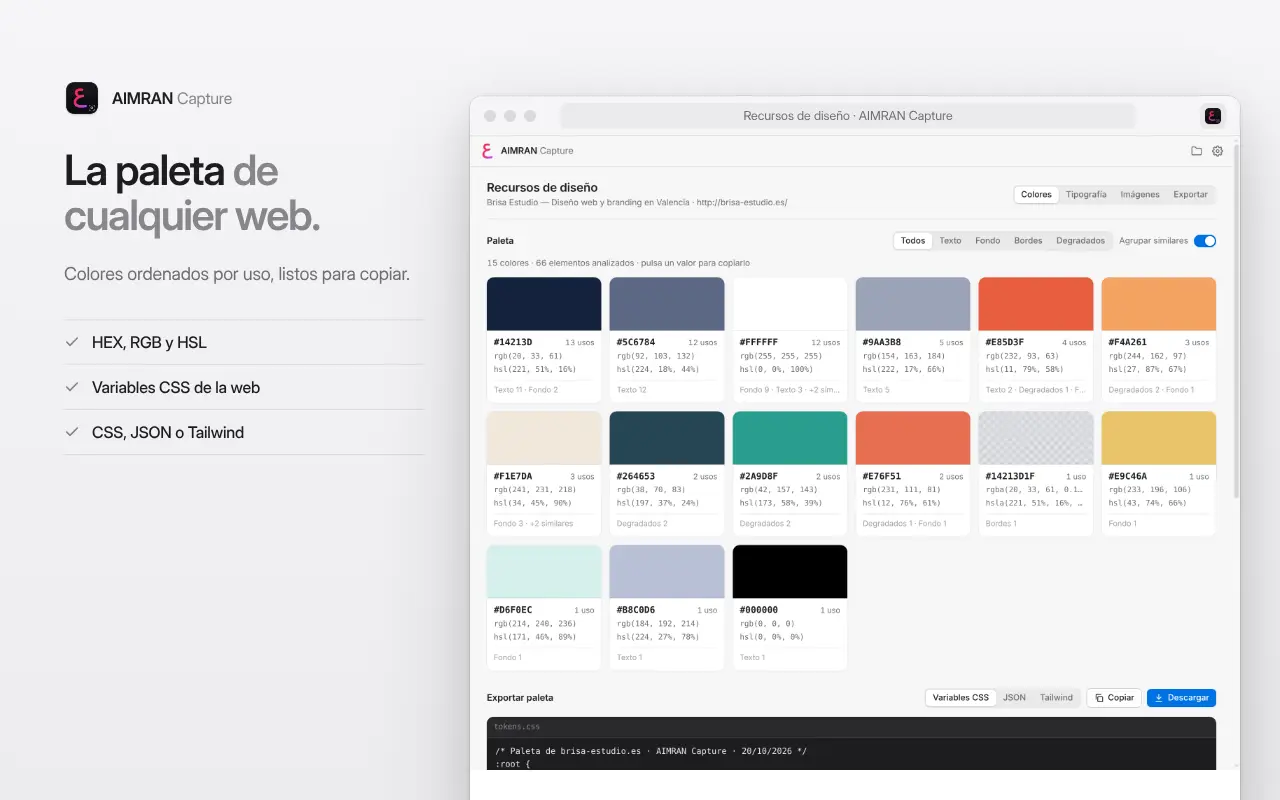
- Colours: palette sorted by usage, similar shades grouped, the website's CSS colour variables and HEX, RGB and HSL values you can copy with one click. Export the palette as CSS variables, JSON or a Tailwind config.
- Fonts: families used on the page, type scale, weights, line heights, loaded fonts and @font-face rules. Copy the CSS declaration of each style.
- Images: img tags, srcset, picture, CSS backgrounds, inline SVG, favicon and og:image, filtered by type and size. Download one or all.
- Export ZIP: images, palette.json, tokens.css, typography.json and the page screenshot in a single file.
CSS SELECTOR AND MEASUREMENTS
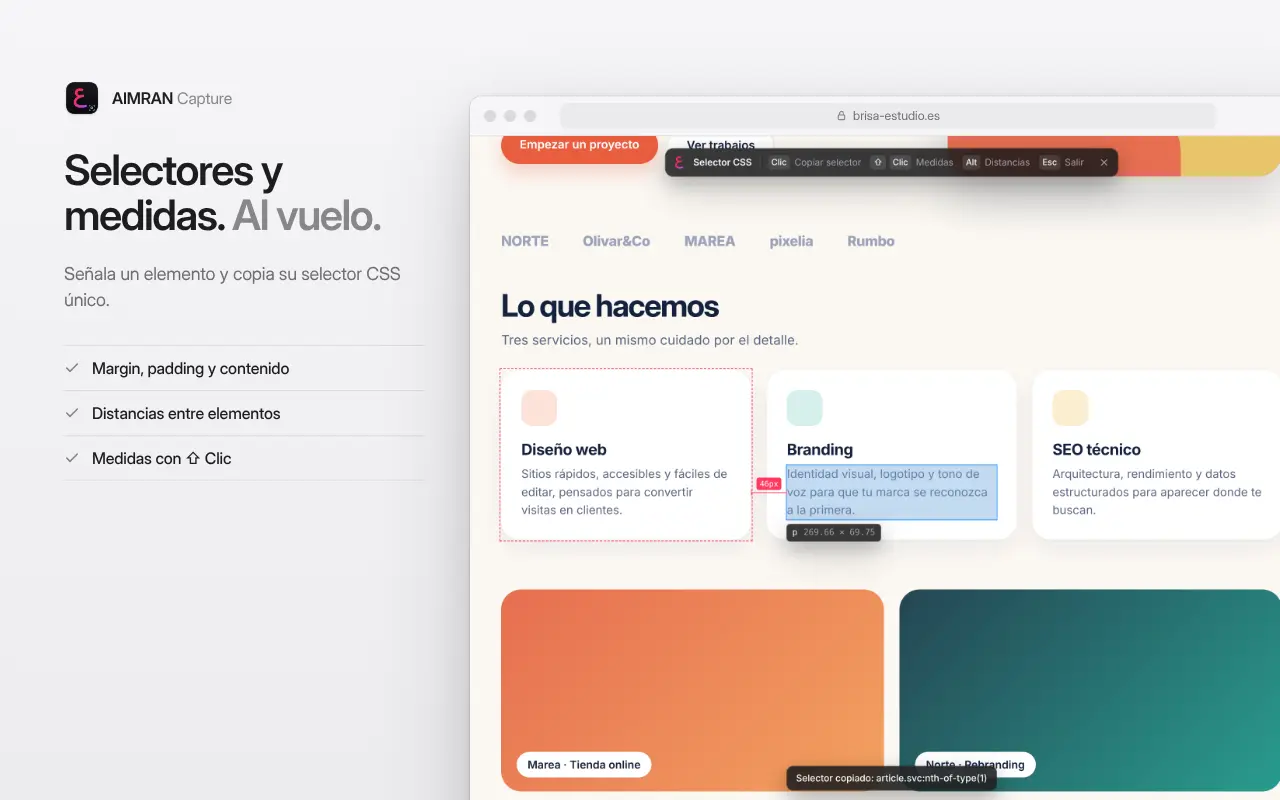
- Point at any element to see its content, padding and margin, just like developer tools.
- Click: copies a unique CSS selector and pins the element. Shift + click: copies its measurements. Alt: shows the distance between the pinned element and the one you point at.
HOW TO USE IT
- Click the AIMRAN Capture icon and choose an action. The screenshot opens in the viewer; click "Annotate" to edit it.
- Shortcuts: Alt+Shift+V (visible area), Alt+Shift+F (full page; press again to cancel), Alt+Shift+M (CSS selector and measurements) and Alt+Shift+D (mobile preview). Change them at chrome://extensions/shortcuts. In the editor, press ? to see all of its shortcuts.
- Available in English, Spanish, German and French; choose the language in the settings.
PRIVACY
- Everything is processed and stored in your browser. No accounts, no servers, no analytics and no ads.
- The extension only accesses a tab when you click its icon or use one of its shortcuts.
- Access to other sites is optional: it is only requested to include images from other domains in the ZIP.
- Device previews use Chrome's "debugger" permission only on the tab you capture and only while the capture lasts; Chrome shows a bar for a few seconds while it does.
Chrome doesn't allow capturing its internal pages, the Chrome Web Store or the PDF viewer.
AIMRAN Capture is part of AIMRAN, by Aimran Oukham · aimran.es